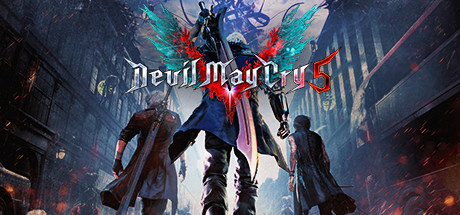
Devil May Cry 5

Devil May Cry 5 Save File 100% – All Missions S-Rank + All Unlocks

Verified & Safe PC Updated October 2026

Capcom's stylish hack-and-slash returns with Nero, Dante and V — juggle demons across Red Grave City with guns, swords, Devil Breakers and summoned familiars, chasing SSS combo ranks.

Save File Details
GameDevil May Cry 5
PlatformPC
Completion100% — All Missions + All Difficulties
Game VersionLatest patch
File Format.bin
File Size~1 MB
Save TypeComplete save (all characters & modes)
Last UpdatedOctober 2026
What's Included
Main story completed (all 20 missions)
All difficulties unlocked incl. Dante Must Die
All 12 Secret Missions cleared
All weapons, skills and Devil Breakers unlocked
Bloody Palace unlocked
All Blue Orb and Purple Orb fragments collected
devil-may-cry-5-100-save.zip ~1 MB Virus-free verified
How to Install

Important: Always backup your existing save files before installing. Copy your current save folder to a safe location so you can restore your own progress if needed.

1
Download and extract the .zip file to your desktop.
2
Open your save folder: C:\Program Files (x86)\Steam\userdata\<your-Steam-ID>\601150\remote\win64_save\
3
Backup your existing save files by copying them to a safe location.
4
Copy the extracted save files into the save folder, overwriting existing ones.
5
Launch Devil May Cry 5 and choose Continue or Mission Select from the main menu.
6
Enjoy the fully completed save — all progress, achievements and unlockables are ready.

Disable Steam Cloud for Devil May Cry 5 before installing (Properties → General), otherwise Steam will restore your old save on launch. Capcom saves are linked to the Steam account, so keep a backup of your own data00-1.bin in case you want to go back.

Frequently Asked Questions
Is the Devil May Cry 5 save file safe to use?
Yes. Devil May Cry 5 is a single-player game with no anti-cheat on its campaign. There is zero ban risk from using save files.
Where is the Devil May Cry 5 save file location on PC?
Devil May Cry 5 saves are stored in your Steam userdata folder: C:\Program Files (x86)\Steam\userdata\<your-Steam-ID>\601150\remote\win64_save\ — the save file is named data00-1.bin.
Does this save work with the latest patch?
Yes. This save was tested on the latest available PC patch as of October 2026. We update within 48 hours if a new patch breaks save file compatibility.
Are all missions and difficulties unlocked?
Yes. The save has all 20 story missions cleared, every difficulty unlocked up to Dante Must Die and Heaven or Hell, all Secret Missions completed and every weapon, skill and Devil Breaker purchased.
Can I transfer this save between Steam and another platform?
PC save files can generally be transferred between launchers as long as the file path is correct. Console cross-save is not supported for most titles.
About Devil May Cry 5

Devil May Cry 5 brings back Nero and Dante alongside the mysterious newcomer V to stop the Demon King Urizen and the giant Qliphoth tree that has taken root in Red Grave City. It is widely regarded as one of the best character-action games ever made.

This 100% save skips the grind for Red Orbs and unlocks — perfect for jumping straight into Dante Must Die, Bloody Palace or practicing combos with every move available.

Related Save Files