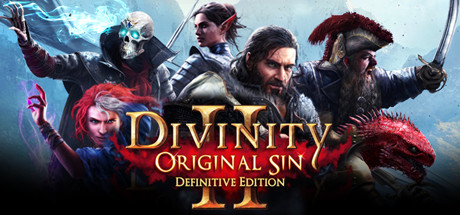
Divinity: Original Sin 2

Divinity: Original Sin 2 Save File 100% – Story Complete + Endgame Party

Verified & Safe PC Updated October 2026

Larian Studios' award-winning tactical RPG — escape Fort Joy as a Sourcerer, recruit a party of Godwoken and decide the fate of Rivellon across four acts of turn-based combat.

Save File Details
GameDivinity: Original Sin 2
PlatformPC
Completion100% — All Acts Completed
Game VersionLatest patch
File Format.lsv
File Size~30 MB
Save TypeStory save (multiple act checkpoints)
Last UpdatedOctober 2026
What's Included
All four acts completed (Fort Joy → Arx)
Level 21+ party with endgame gear
All origin companions recruited
Major side quests completed
All Source skills and Source points unlocked
Checkpoints at the start of each act
divinity-original-sin-2-100-save.zip ~30 MB Virus-free verified
How to Install

Important: Always backup your existing save files before installing. Copy your current save folder to a safe location so you can restore your own progress if needed.

1
Download and extract the .zip file to your desktop.
2
Open your save folder: Documents\Larian Studios\Divinity Original Sin 2 Definitive Edition\PlayerProfiles\<your-profile>\Savegames\Story\
3
Backup your existing save files by copying them to a safe location.
4
Copy the extracted save files into the save folder, overwriting existing ones.
5
Launch Divinity: Original Sin 2 and choose Load Game from the main menu.
6
Enjoy the fully completed save — all progress, achievements and unlockables are ready.

Copy the whole save folders (not just the .lsv files) into Savegames\Story. Disable Steam Cloud before installing, and make sure you're on the Definitive Edition — classic edition saves are not compatible.

Frequently Asked Questions
Is the Divinity: Original Sin 2 save file safe to use?
Yes. Divinity: Original Sin 2 is a single-player game with no anti-cheat on its campaign. There is zero ban risk from using save files.
Where is the Divinity: Original Sin 2 save file location on PC?
Divinity: Original Sin 2 saves are located at: Documents\Larian Studios\Divinity Original Sin 2 Definitive Edition\PlayerProfiles\<your-profile>\Savegames\Story\ — each save is its own folder containing an .lsv file and a screenshot.
Does this save work with the latest patch?
Yes. This save was tested on the latest available PC patch as of October 2026. We update within 48 hours if a new patch breaks save file compatibility.
Is the whole story completed?
Yes. The save has all four acts finished through to the ending in Arx, a level 21+ party with endgame gear, every origin companion recruited and extra checkpoint saves at the start of each act.
Can I transfer this save between Steam and another platform?
PC save files can generally be transferred between launchers as long as the file path is correct. Console cross-save is not supported for most titles.
About Divinity: Original Sin 2

Divinity: Original Sin 2 is a deep, systemic party RPG in which you play a Sourcerer hunted by the Divine Order. Its environmental combat, elemental surfaces and branching quests made it one of the most acclaimed RPGs of its generation.

This 100% save includes the finished campaign plus act-by-act checkpoints — handy for trying different builds, revisiting choices or jumping straight to the late-game fights in Arx.

Related Save Files