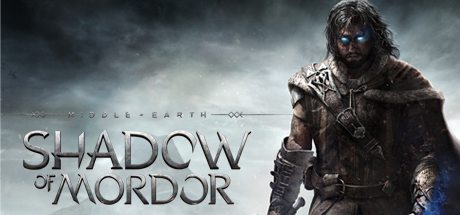
Middle-earth: Shadow of Mordor

Middle-earth: Shadow of Mordor Save File 100% – All Missions + DLC Complete

Verified & Safe PC Updated November 2026

Monolith's open-world Tolkien action game — hunt Sauron's captains as the ranger Talion, bonded to the wraith Celebrimbor, and tear the Nemesis System apart.

Save File Details
GameMiddle-earth: Shadow of Mordor
PlatformPC
Completion100% — All Missions + DLC
Game VersionLatest patch
File FormatShadow of Mordor save files
File Size~3 MB
Save TypeFull progress save (100% completion)
Last UpdatedNovember 2026
What's Included
Main story completed
All missions and side quests done
All artifacts, ithildin and plants collected
All skills and abilities unlocked
All legendary runes and weapon upgrades
Lord of the Hunt + Bright Lord DLC complete
shadow-of-mordor-100-save.zip ~3 MB Virus-free verified
How to Install

Important: Always backup your existing save files before installing. Copy your current save folder to a safe location so you can restore your own progress if needed.

1
Download and extract the .zip file to your desktop.
2
Open your save folder: C:\Program Files (x86)\Steam\userdata\<steam-id>\241930\remote\
3
Backup your existing save files by copying them to a safe location.
4
Copy the extracted save files into the save folder, overwriting existing ones.
5
Launch Middle-earth: Shadow of Mordor and load the completed save.
6
Enjoy the fully completed save — all progress, achievements and unlockables are ready.

Shadow of Mordor stores its saves inside Steam's userdata folder under your Steam account ID. Disable Steam Cloud for the game before copying, or Steam will overwrite the new save with your cloud copy on launch.

Frequently Asked Questions
Is the Middle-earth: Shadow of Mordor save file safe to use?
Yes. Middle-earth: Shadow of Mordor save files contain only game progress — no executables. There is zero ban risk from using save files in single-player.
Where is the Middle-earth: Shadow of Mordor save file location on PC?
Middle-earth: Shadow of Mordor saves are stored in: C:\Program Files (x86)\Steam\userdata\<steam-id>\241930\remote\
Does this save work with the latest patch?
Yes. This save was tested on the latest available PC patch as of November 2026. We update within 48 hours if a new patch breaks save file compatibility.
Are all runes, skills and collectibles unlocked?
Yes. Every skill and ability is unlocked, all artifacts, ithildin pieces and plants are collected, and Talion's sword, bow and dagger carry legendary runes from every legendary set.
Can I transfer this save between Steam and another platform?
PC save files can generally be transferred between launchers as long as the file path is correct. Console cross-save is not supported for most titles.
About Middle-earth: Shadow of Mordor

Middle-earth: Shadow of Mordor is a 2014 open-world action game from Monolith Productions, set between the events of The Hobbit and The Lord of the Rings. Ranger Talion, slain at the Black Gate and bound to the elven wraith Celebrimbor, seeks revenge across Mordor using fluid combat, stealth and wraith powers.

Its signature Nemesis System generates Uruk captains who remember you and rise through the ranks. This 100% save has the story, every mission, collectible and skill finished, plus both story DLCs — ready to dominate the army or jump straight into the sequel.

Related Save Files