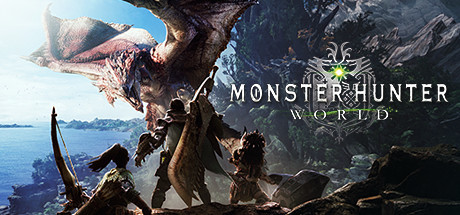
Monster Hunter: World

Monster Hunter: World Save File 100% – Iceborne + All Monsters

Verified & Safe PC Updated October 2026

Monster Hunter: World drops you into the New World as a hunter of the Research Commission, tracking and slaying giant monsters, then crafting their parts into ever more powerful weapons and armor.

Save File Details
GameMonster Hunter: World
PlatformPC
Completion100% — World + Iceborne + All Monsters
Game VersionLatest patch
File FormatSAVEDATA1000 (no extension)
File Size~10 MB
Save Type3 character slots
Last UpdatedOctober 2026
What's Included
Base game and Iceborne story completed
Master Rank 999, HR 999
All monsters hunted, including Fatalis
All weapons and armor sets crafted
All decorations and Safi'jiiva awakened weapons
Guiding Lands max level, all regions 7
monster-hunter-world-100-save.zip ~10 MB Virus-free verified
How to Install

Important: Always backup your existing save files before installing. Copy your current save folder to a safe location so you can restore your own progress if needed.

1
Download and extract the .zip file to your desktop.
2
Open your save folder: C:\Program Files (x86)\Steam\userdata\[Your Steam ID]\582010\remote\
3
Backup your existing save files by copying them to a safe location.
4
Copy the extracted save files into the save folder, overwriting existing ones.
5
Launch Monster Hunter: World and select Continue or Load Game from the main menu.
6
Enjoy the fully completed save — all progress, achievements and unlockables are ready.

Monster Hunter: World stores its save in the Steam userdata folder and syncs with Steam Cloud. Disable Steam Cloud for the game before copying the file, then re-enable it after your first in-game save. The save is tied to a Steam ID, so use a save editor/resigner if the game reports corrupted data.

Frequently Asked Questions
Is the Monster Hunter: World save file safe to use?
Yes. Monster Hunter: World is a single-player game with no competitive anti-cheat. There is zero ban risk from using save files.
Where is the Monster Hunter: World save file location on PC?
Monster Hunter: World saves are located at: C:\Program Files (x86)\Steam\userdata\[Your Steam ID]\582010\remote\ — press Win + R, type C:\Program Files (x86)\Steam\userdata and press Enter to navigate there directly.
Does this save work with the latest patch?
Yes. This save was tested on the latest available PC patch as of October 2026. We update within 48 hours if a new patch breaks save file compatibility.
Is Iceborne and Fatalis included?
Yes. The full Iceborne Master Rank story is completed along with all title updates, including Alatreon and Fatalis. All weapons, armor sets and decorations are crafted and Guiding Lands regions are at max level.
Can I transfer this save between Steam and another platform?
PC save files (Steam/Epic) can generally be transferred between launchers as long as the file path is correct. Console cross-save is not supported for most titles.
About Monster Hunter: World

Monster Hunter: World is Capcom's best-selling hunting action RPG, and its Iceborne expansion added Master Rank, the Hoarfrost Reach and the endgame Guiding Lands. Every hunt rewards materials used to forge 14 weapon types and hundreds of armor pieces.

This 100% complete save has both stories finished, every monster hunted including Fatalis and all gear crafted. Experiment with any weapon and build, help friends in multiplayer, or skip the grind for decorations entirely.

Related Save Files