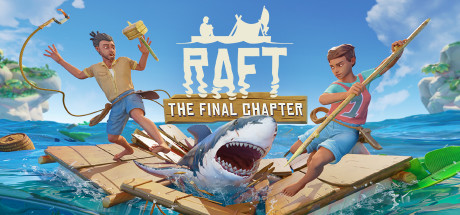
Raft

Raft Save File 100% – Story Complete + All Blueprints + Huge Raft

Verified & Safe PC Updated October 2026

Redbeet Interactive's ocean survival game — start on a few planks, hook debris, fend off the shark and sail to the last remnants of civilisation.

Save File Details
GameRaft
PlatformPC
Completion100% — All Chapters + All Research
Game VersionLatest patch
File FormatRaft world save folder (.rgd)
File Size~25 MB
Save TypeFull progress save (100% completion)
Last UpdatedOctober 2026
What's Included
All 3 story chapters completed
All story islands visited (Radio Tower to Utopia)
All 9 characters rescued
Every blueprint and research item unlocked
Large multi-floor raft with engines and auto-steering
Chests stocked with titanium, tools and gear
raft-100-save.zip ~25 MB Virus-free verified
How to Install

Important: Always backup your existing save files before installing. Copy your current save folder to a safe location so you can restore your own progress if needed.

1
Download and extract the .zip file to your desktop.
2
Open your save folder: C:\Users\<user>\AppData\LocalLow\Redbeet Interactive\Raft\User\User_<SteamID>\World\
3
Backup your existing save files by copying them to a safe location.
4
Copy the extracted save files into the save folder, overwriting existing ones.
5
Launch Raft and load the completed save.
6
Enjoy the fully completed save — all progress, achievements and unlockables are ready.

Drop the extracted world folder in as a new folder rather than overwriting one of your own worlds — it will show up as an extra world in the Load Game menu. Disable Steam Cloud for Raft first if you have it enabled.

Frequently Asked Questions
Is the Raft save file safe to use?
Yes. Raft save files contain only game progress — no executables. There is zero ban risk from using save files in single-player.
Where is the Raft save file location on PC?
Raft saves are stored in: C:\Users\<user>\AppData\LocalLow\Redbeet Interactive\Raft\User\User_<SteamID>\World\ — each world is its own subfolder there; <SteamID> is your Steam account ID.
Does this save work with the latest patch?
Yes. This save was tested on the latest available PC patch as of October 2026. We update within 48 hours if a new patch breaks save file compatibility.
Is the whole story finished?
Yes. Every chapter is done — Radio Tower, Vasagatan, Balboa Island, Caravan Town, Tangaroa, Varuna Point, Temperance and Utopia — with all notes found and all characters rescued.
Can I transfer this save between Steam and another platform?
PC save files can generally be transferred between launchers as long as the file path is correct. Console cross-save is not supported for most titles.
About Raft

Raft is a co-op survival adventure set on an endless ocean. You start adrift on a tiny wooden platform, hooking floating debris to expand your raft, crafting gear, growing food and defending yourself from a relentless shark while uncovering what happened to the flooded world.

This 100% save has all three chapters completed, every blueprint researched and a huge, fully equipped raft ready to sail — perfect for creative building, exploring at your own pace or hosting friends without the early-game grind.

Related Save Files