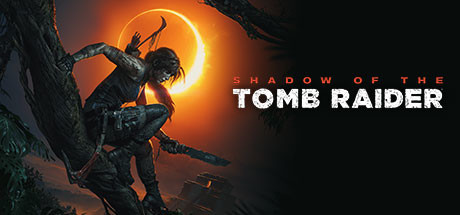
Shadow of the Tomb Raider

Shadow of the Tomb Raider Save File 100% – All Tombs, Crypts + Outfits

Verified & Safe PC Updated October 2026

The final chapter of Lara Croft's origin trilogy — race across the jungles of Central and South America to stop a Maya apocalypse she set in motion, and become the Tomb Raider she is destined to be.

Save File Details
GameShadow of the Tomb Raider
PlatformPC
Completion100% — All Tombs, Crypts + Collectibles
Game VersionLatest patch
File FormatSteam save slots
File Size~3 MB
Save TypeComplete save (story + side content)
Last UpdatedOctober 2026
What's Included
Main story completed
All challenge tombs and crypts cleared
All documents, relics and murals found
All skills learned and weapons fully upgraded
All outfits and gear unlocked
Definitive Edition DLC tombs included
shadow-of-the-tomb-raider-100-save.zip ~3 MB Virus-free verified
How to Install

Important: Always backup your existing save files before installing. Copy your current save folder to a safe location so you can restore your own progress if needed.

1
Download and extract the .zip file to your desktop.
2
Open your save folder: C:\Program Files (x86)\Steam\userdata\<your-Steam-ID>\750920\remote\
3
Backup your existing save files by copying them to a safe location.
4
Copy the extracted save files into the save folder, overwriting existing ones.
5
Launch Shadow of the Tomb Raider and load the completed save via Load Game from the main menu.
6
Enjoy the fully completed save — all progress, achievements and unlockables are ready.

Disable Steam Cloud for Shadow of the Tomb Raider before installing, otherwise Steam will restore your old save on launch. If you only own the base game, the DLC tomb progress is simply ignored.

Frequently Asked Questions
Is the Shadow of the Tomb Raider save file safe to use?
Yes. Shadow of the Tomb Raider save files contain only game progress — no executables. There is zero ban risk from using save files in single-player.
Where is the Shadow of the Tomb Raider save file location on PC?
Shadow of the Tomb Raider saves are stored in: C:\Program Files (x86)\Steam\userdata\<your-Steam-ID>\750920\remote\ — the save slot files sit directly inside the remote folder.
Does this save work with the latest patch?
Yes. This save was tested on the latest available PC patch as of October 2026. We update within 48 hours if a new patch breaks save file compatibility.
Are all tombs and the DLC content completed?
Yes. Every challenge tomb and crypt in the base game is cleared, plus the seven DLC tombs from the Definitive Edition, along with all collectibles, skills, weapons and outfits.
Can I transfer this save between Steam and another platform?
PC save files can generally be transferred between launchers as long as the file path is correct. Console cross-save is not supported for most titles.
About Shadow of the Tomb Raider

Shadow of the Tomb Raider sends Lara Croft into the hidden city of Paititi, battling the paramilitary order Trinity while trying to undo the cataclysm she triggered. Underwater exploration, stealth in the jungle and some of the series' best challenge tombs define the experience.

This 100% save has every tomb, crypt and collectible completed — ideal for New Game+, replaying favorite tombs on Deadly Obsession difficulty or exploring the full map without the grind.

Related Save Files